


This old concrete wall PBR texture is designed to capture the character of aged and weathered architecture.
Rather than presenting a clean or newly finished surface, this material focuses on time-worn concrete, where paint layers fade and structural hardness remains visible.

The dominant tone is a muted blue-grey, intentionally desaturated to reflect age and exposure.
Across the surface, beige discolorations appear irregularly, suggesting erosion, peeling paint, and long-term environmental impact.
These variations prevent visual flatness and give the concrete a strong sense of realism.
With a 4K resolution and seamless tiling, this concrete texture performs well on large exterior walls without visible repetition.
The material preserves surface detail while remaining flexible for different scene scales.
Surface Wear and Visual Character
The surface of this concrete appears hard, stone-like, and dense.
At the same time, signs of deterioration are clearly visible.
Parts of the blue-grey coating seem worn away, revealing older layers beneath.
This peeling and faded paint effect adds authenticity.
It makes the wall feel exposed to years of weather, sunlight, and moisture rather than artificially distressed.
The texture is intentionally uneven.
Color transitions are subtle but noticeable, helping the wall read as a real architectural element instead of a flat background.
Thanks to the included PBR maps (Base Color, Normal, Specular), the concrete reacts naturally to light.
Shadows settle into small surface irregularities, while highlights remain restrained, preserving the aged appearance.
This balance makes the material suitable for realistic renders, especially when accuracy matters more than visual perfection.
Use Cases and Material Workflow
This weathered concrete wall material is best suited for exterior environments.
It works particularly well for old buildings, abandoned structures, or architectural scenes that require a sense of history.
The texture can be applied to long exterior walls, boundary walls, or background structures.
Because it is seamless, scaling and tiling remain clean even on large surfaces.
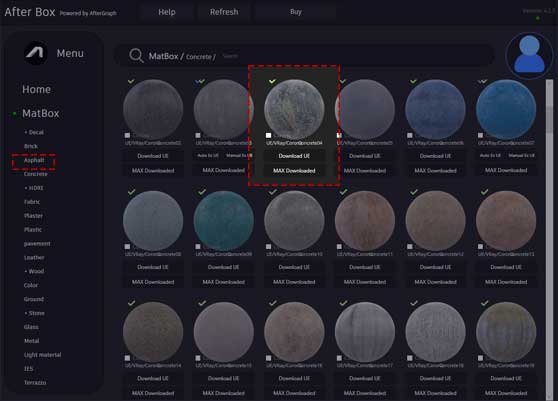
Inside AfterBox, the material is fully optimized for direct use.
You can import it instantly with drag and drop, adjust tiling size, or fine-tune the color balance to emphasize either the blue-grey base or the beige stains.
Additional dirt layers can be added when more decay is required.
However, even without extra adjustments, the material already delivers a convincing aged look.
This concrete is ideal for old architectural styles, realistic environment visualization, and scenes where modern finishes would feel out of place.
It communicates strength, age, and exposure without looking fragile or structurally weak.
If you need to download a concrete PBR material that represents real-world aging, faded paint, and long-term wear, this old concrete wall texture provides a reliable and visually grounded solution.

Save time on material setup
Instead of downloading this texture, use the optimized ready-made material for VRay , Corona Renderer (3ds Max) and Unreal Engine available in AfterBox.
No manual setup


