


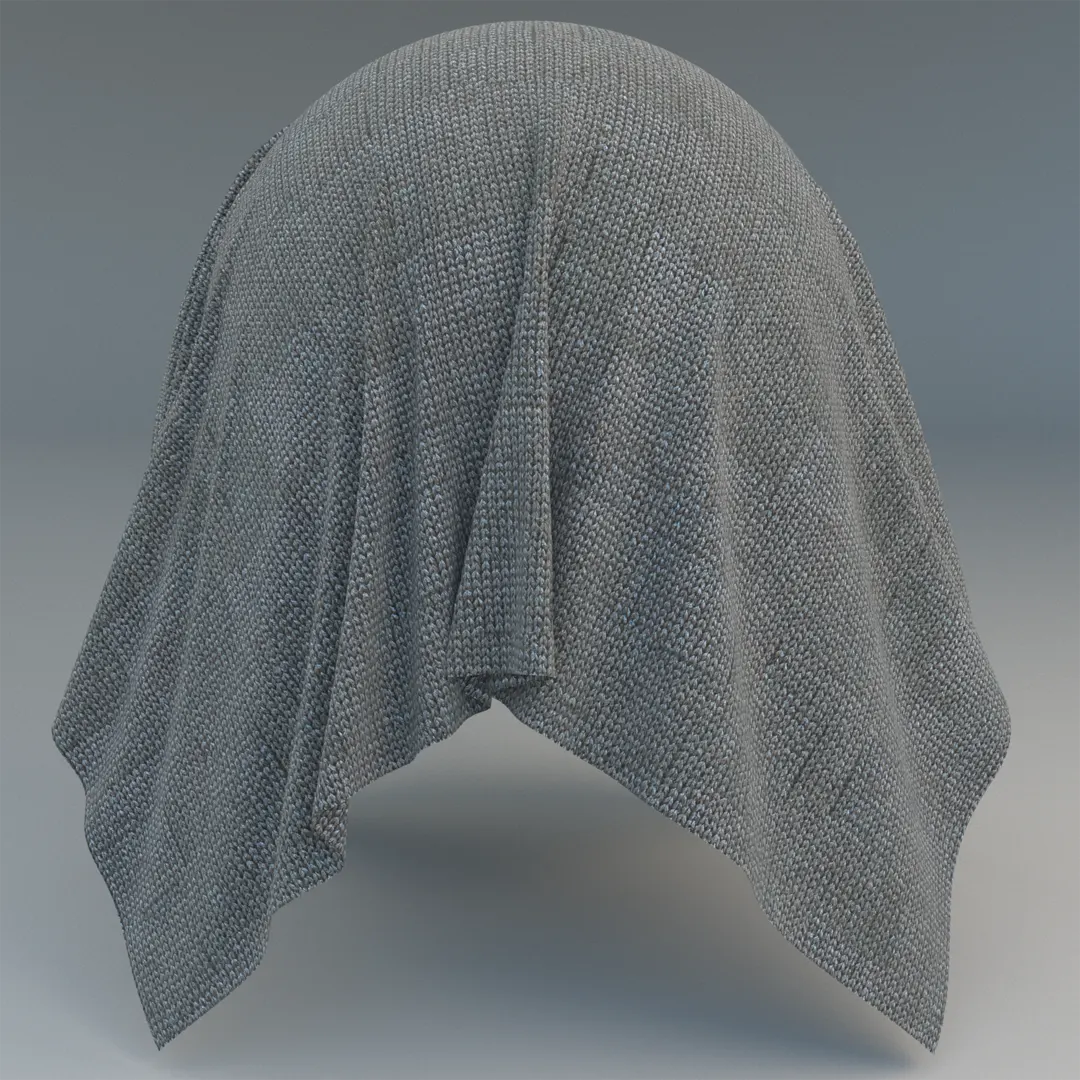
Achieving Softness with Grey Knitted Jersey Fabric
Incorporating a high-quality grey jersey knit fabric PBR texture into your scene is one of the most effective ways to ground a digital environment. This material captures the organic, tactile nature of a fine-gauge stockinette stitch, providing the necessary visual softness to balance hard architectural surfaces like concrete, glass, or polished metal. The light, cool-toned grey palette provides a neutral base that integrates seamlessly into both modern Scandinavian aesthetics and cozy “hygge” interiors, ensuring your visualizations feel lived-in and authentic.
# Applications for Interiors and Asset Design
This material excels when applied to soft furnishings where the drape and weave structure are visible. For interior designers and visualizers, it is an ideal candidate for throw blankets, lounge upholstery, or decorative pillows. Because the geometry captures light so realistically, it adds a professional layer of depth to close-up shots of furniture staging.
In game environment design and real-time visualization, this fabric works beautifully for character clothing or as part of a layered drapery setup. Its clean, repeatable pattern makes it highly versatile for mapping onto various object shapes without visible seam artifacts.
* Ideal for high-end hotel lobby seating and lounge vignettes.
* Perfect for bedroom styling, including duvets and accent textiles.
* Highly effective for retail merchandising scenes requiring fabric detail.
# Rendering and Technical Precision
Achieving a convincing textile look relies heavily on how the material reacts to light at a micro-level. This 8K texture includes essential maps for Base Color, Reflection, Roughness, Normal, and Displacement. The inclusion of a robust displacement map is critical; it allows the renderer to calculate the physical depth of the individual knit loops, creating true silhouettes at the edges of pillows or blankets. When rendering in V-Ray or Corona, ensure your displacement settings are tuned to the scale of your object to avoid excessive memory usage while maintaining the integrity of the weave.

Save Time with AfterBox
Browse, download and apply materials directly in Unreal Engine, V-Ray and Corona.
# Adding Realism Through Surface Imperfections
To move beyond a “too-perfect” digital look, consider adding subtle variations. While the weave itself is uniform, you can use the Roughness map as a base to layer in slight tonal shifts or micro-dust. In high-end archviz, a touch of pilling—using a noise mask—can suggest a well-loved furniture piece, preventing the fabric from looking like it just left a factory floor.




# Ready-to-Use Material Workflows
This material is designed to be fully compatible with V-Ray for 3ds Max, Corona Renderer, and Unreal Engine. Because the PBR settings are standardized, the textures plug directly into your preferred node-based editor without requiring manual color correction or complex graph rebuilding. This workflow optimization allows you to focus on the lighting and composition of your scene rather than spending hours troubleshooting shader nodes.

# Deployment and Subscription Access
The ready-made version of this material allows for a simple drag-and-drop workflow. By bypassing manual shader creation, you significantly speed up your production pipeline, whether you are populating a large-scale apartment complex or a single hero asset.
For more information about accessing our full library of premium assets, visit: https://after-box.com/pricing/


Save time on material setup
Instead of downloading this texture, use the optimized ready-made material for V-Ray , Corona Renderer (3ds Max) and Unreal Engine available in AfterBox.
No manual setup


