
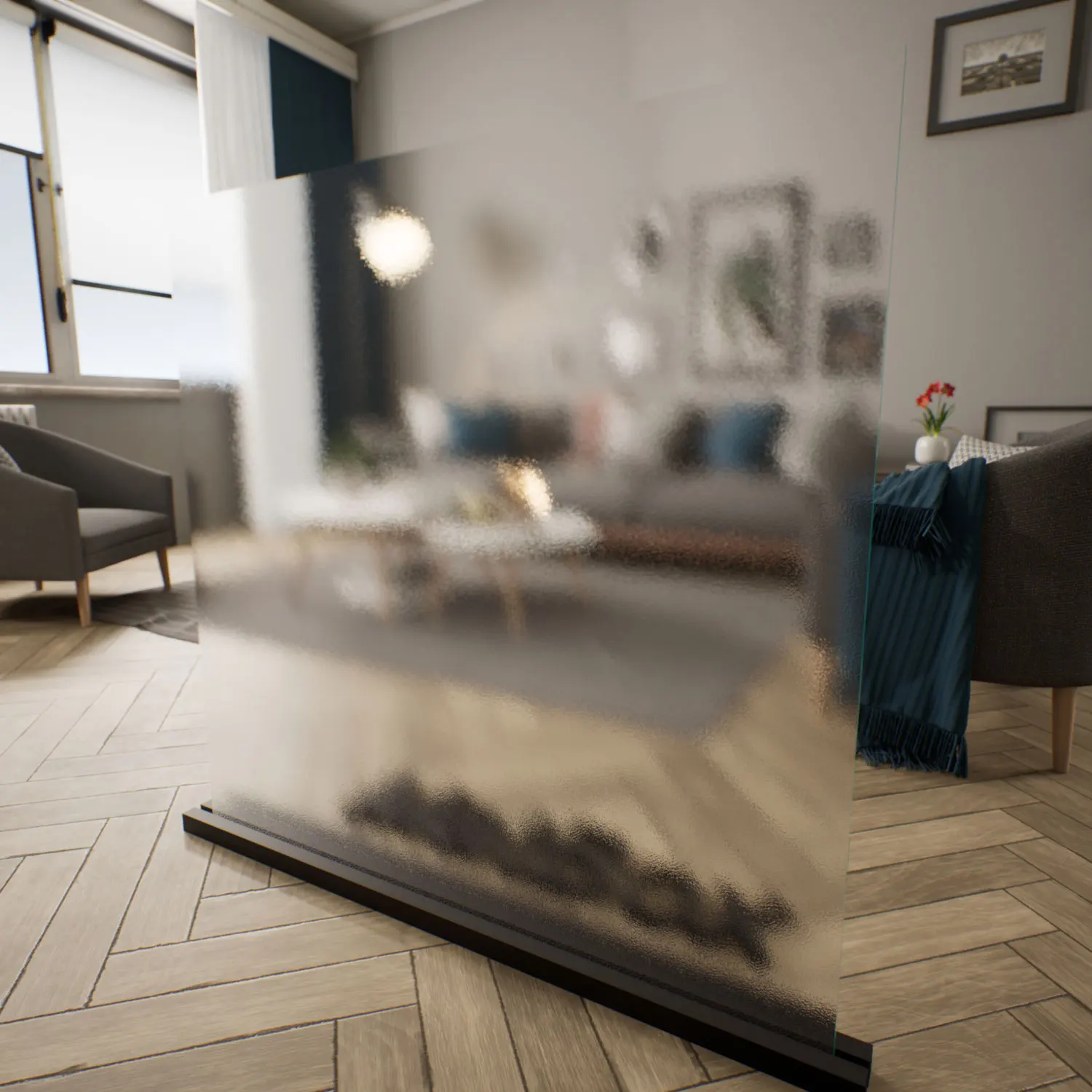


Material & Texture Introduction – heavy distorted glass Unreal
This heavy distorted glass material for Unreal Engine recreates the character of cast and thermally textured glass often used in contemporary interiors.
Unlike flat translucent panels, its surface feels alive—deep ridges, vertical waves, and subtle irregularities shift the way light passes through it, giving the material a three-dimensional presence even on thin geometry.

Color-wise, the glass leans toward cool tones. Soft violet-blue shades blend into muted greys, with darker blue shadows settling inside deeper surface grooves. When light hits the high points of the waves, they catch and stretch into white-silver highlights that glide across the surface as the camera moves. This makes the heavy distorted glass for Unreal Engine suitable for minimalist environments where designers want the material itself to introduce motion, depth, and atmospheric lighting.
Its color palette works especially well alongside concrete, brushed steel, slate textures, and pale neutral finishes. In interior design schemes, this type of textured glass often appears in spaces that seek privacy without losing brightness—spaces where the blur and distortion matter as much as the reflections.
Usage Spaces
Architects frequently use this kind of glass in decorative partitions and upscale interior walls. The distortion softens silhouettes, making it appropriate for studios, meeting rooms, boutique retail displays, and hospitality interiors. The glass also performs well in backlit installations where the wave pattern becomes more pronounced.
In visualization workflows, the heavy distorted texture helps emphasize atmosphere. When applied in Unreal Engine cinematic scenes, the refraction and stretching of background shapes help guide attention toward key elements in the frame. It works particularly well in slow camera moves, gallery-like environments, or transitional spaces where the focus is on light behavior rather than transparency.
Technical Rendering Notes
The material relies on a strong normal map and calibrated refraction to produce its signature distortion. Because the wave pattern is vertical, reflections elongate naturally, producing soft streaks rather than crisp highlights. Using directional lighting or HDRIs with clear contrast will highlight the wave structure and produce richer motion across the surface.
For more natural results, subtle imperfections are useful. Real cast glass often has tiny inconsistencies—slight changes in wave thickness, faint haze at the bottom edge from dust or moisture, and micro-scratches that only appear in specific lighting angles. Introducing these variations helps the heavy distorted glass for Unreal Engine avoid the overly procedural look and instead resemble a handcrafted material.
Ready‑Made Material Features
This ready-made distorted glass for UE is fully configured for immediate use. All core PBR settings—roughness, refraction strength, and normal intensity—are tuned to behave predictably across both static lighting and Lumen-based scenes.
Since the node structure is already assembled, applying the material is straightforward. You can create instances to fine‑tune color tint or distortion intensity without having to rebuild the shader. This setup is particularly helpful for large ArchViz or cinematic projects where time spent on material development needs to be minimized.
Download & Workflow
Access to this material and the rest of the library is provided through the lightweight AfterBox application (around 16MB). After selecting the asset, you can drag the ready-made distorted glass for UE directly into your Unreal Engine project.
This workflow avoids repetitive shader creation and ensures consistency across multiple environments. More information about subscription access is available here:
Save time on material setup
Instead of downloading this texture, use the optimized ready-made material for V-Ray, Corona Renderer (3ds Max) and Unreal Engine available in AfterBox.No manual setup


