


Material & Texture Overview – violet tinted glass
The purple diffused glass Unreal Engine material is built to suggest a decorative glass surface with an internal color layer rather than a simple tinted pane. It reads as polished and modern, but the visible dispersion of purple powder-like particles gives it a softer, more artistic identity. In practice, this kind of glass works well wherever designers want color, privacy, and light transmission to coexist without a heavy opaque finish.
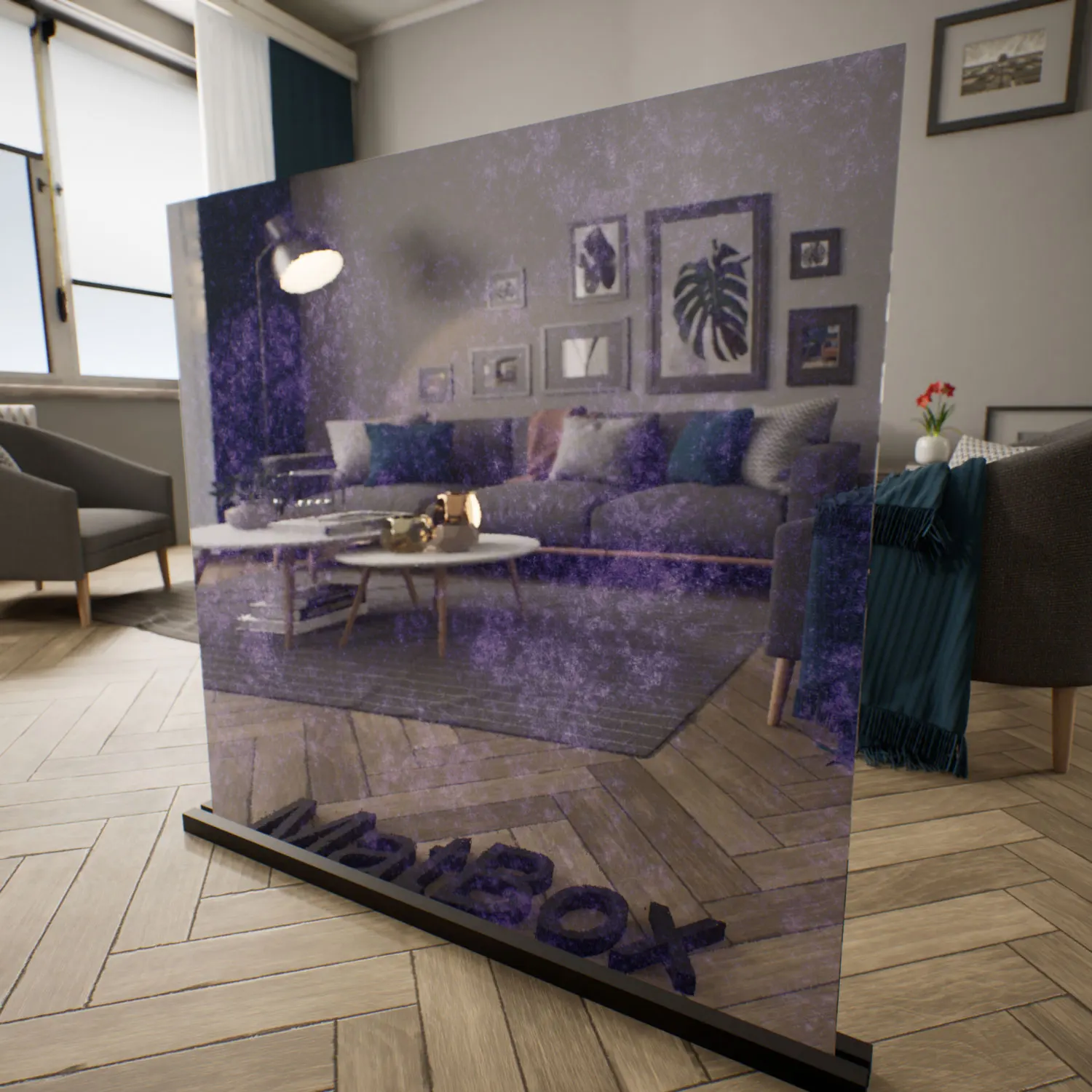
Its palette leans toward blue-purple with subtle grey undertones, which makes it adaptable in restrained architectural schemes as well as more expressive interiors. The hue shifts gently depending on lighting: brighter conditions reveal a lighter violet cast, while stronger side light pushes the tone deeper and more saturated. That makes the purple diffused glass Unreal Engine surface especially useful in environments where color should respond to context instead of staying flat and uniform.
The material pairs naturally with brushed metal, pale stone, neutral plaster, and darker walnut or graphite finishes. It feels at home in contemporary interiors, art-driven spaces, and stylized digital scenes where the goal is to filter light rather than block it entirely.
Where It Fits in Real Projects
This type of glass is often used in interior partitions, decorative walls, and feature panels where the visual boundary matters as much as the physical one. In offices, it can soften the visual connection between work zones while still allowing daylight to move through the space. In residential settings, it works well for accent doors, stair enclosures, or custom windows where a more expressive surface is preferred over standard frosted glass.
The purple diffused glass Unreal Engine asset also translates well into exhibition environments and boutique retail. A backlit display panel or branded showcase can use the color layer to create a calm but distinctive atmosphere. Game artists may use the purple diffused glass Unreal Engine material for fantasy interiors, sci-fi interfaces, or magical architectural elements where the surface needs to feel crafted and slightly otherworldly without becoming visually noisy.
Rendering Behavior & Technical Notes
Technically, the material relies on a balanced PBR setup with moderate roughness, high specular response, and subtle overlay noise to simulate an internal pigment dispersion. The surface remains glossy, but reflections soften slightly because of the color layer beneath the outer shell. This creates a semi-matte impression without losing the clarity of glass.
The organic particle distribution helps the material avoid a manufactured look. Since the pattern is seamless, it can repeat across larger panes without obvious seams, making it practical for both close-up shots and architectural views. Under strong lighting, a faint halo effect can appear around denser purple areas, adding depth to the purple diffused glass Unreal Engine presentation.
For realism, it helps to keep imperfections subtle: a little dust near the lower edge, slight density variation in the colored layer, and very fine surface marks visible only in grazing light. These details make the material feel like a genuine fabricated glass piece rather than a perfectly uniform digital shader.
Ready‑Made Material for Unreal Engine
This ready-made purple glass material UE is prepared for immediate use in Unreal Engine projects. The main PBR values are already tuned so the glass behaves predictably under real-time lighting, without requiring shader rebuilding or extensive parameter correction.
Artists can apply the ready-made purple glass material UE directly to scene meshes and use the included controls for tint, roughness, and internal color intensity when needed. That makes it practical for production environments where speed matters, especially for ArchViz, retail visualization, and stylized game assets. The purple diffused glass Unreal Engine setup is designed to save setup time while keeping the final result consistent across different scenes.
Download & Workflow
The material is delivered through the lightweight AfterBox application, which is around 16MB and designed for quick access to the asset library. Once installed, users can drag and drop the ready-made purple glass material UE straight into Unreal Engine.
This workflow lets teams move from selection to implementation quickly, without spending time on custom material authoring or render testing. It is a practical approach for projects that need production-ready glass immediately, especially when several material variants are being managed across a scene.
Subscription details are available here:
Save time on material setup
Instead of downloading this texture, use the optimized ready-made material for V-Ray, Corona Renderer (3ds Max) and Unreal Engine available in AfterBox.No manual setup


