


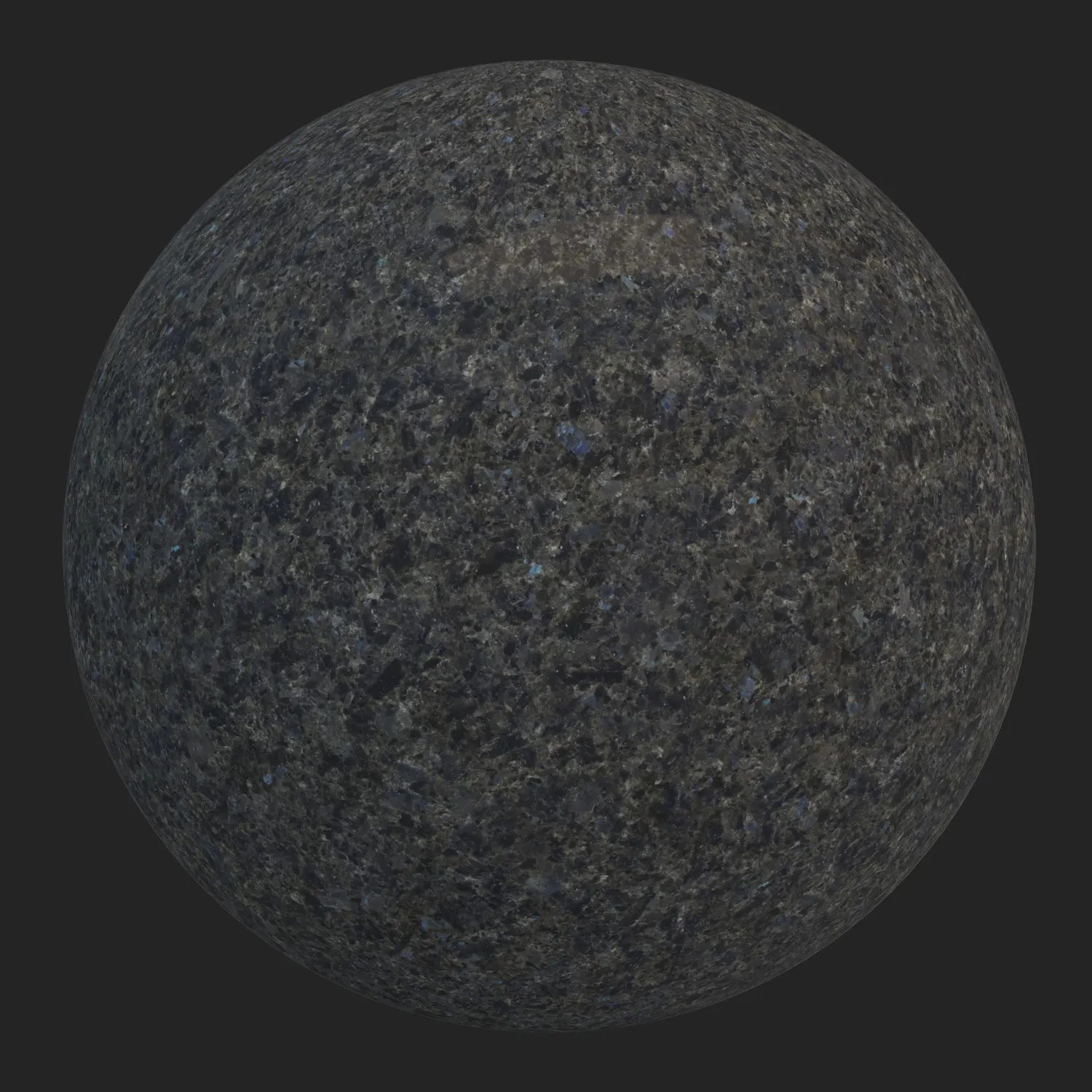


Architectural Integration of Dark Grey Wavy Granite
In high-end architectural visualization, standard dotted stones often lack visual depth. This dark grey wavy granite provides a robust, dynamic alternative characterized by its complex, swirling mineral structure. The base palette consists of charcoal and smoky hues, heavily interlaced with medium grey, soft black, and subtle silver-white mineral deposits. Faint undertones of cold brown prevent the surface from appearing overly sterile. Because it features an interlocking crystalline stone formation rather than a repetitive linear grain, it pairs exceptionally well with raw architectural elements like exposed concrete, brushed steel, and warm walnut timber. This aesthetic makes it highly suitable for modern, minimalist, and brutalist interior styles where material authenticity is paramount.

Spatial Deployment in Structural Design
The heavy, formal presence of this dense charcoal architectural granite makes it highly versatile across both commercial and residential scales. In commercial environments, it acts as a grounding element for expansive lobby flooring, monolithic reception desks, and robust exterior wall claddings. For high-end residential layouts, designers frequently utilize this material for sweeping staircases, large-scale fireplace surrounds, and heavy kitchen islands. Its non-directional, cloudy pattern ensures that even across vast geometric planes, the seamless matte natural rock maintains a unified appearance without obvious tiling artifacts.
Embracing Natural Mineral Imperfections
Digital surfaces often fail because they are too uniform. The true strength of this 8k pbr granite texture lies in its natural inconsistencies. The surface exhibits micro-variations in mineral density; certain areas appear darker and heavily compressed, while others reveal lighter, busier crystalline clusters. These subtle shifts in the dark grey wavy granite, combined with a semi-matte honed finish, ensure that reflections remain soft and diffused. This intentional preservation of natural unevenness breaks up specular highlights realistically, establishing a convincing physical presence in the render.
Enhancing Realism Through Procedural Weathering
Pristine surfaces rarely exist in the physical world. Within the pre-configured material setup, visualizers can activate a dedicated dirt and weathering layer to push the realism further. For exterior applications like plaza paving, landscape retaining walls, or facade plinths, introducing environmental grime into the micro-cavities of this interlocking crystalline stone grounds the geometry in its environment. Similarly, applying subtle edge dirt or ambient occlusion masking is highly recommended when utilizing this dense charcoal architectural granite in heavy-traffic indoor areas, bridging the gap between clinical 3D models and lived-in architecture.
Technical Calibration of the 8K PBR Granite Texture

Precision at the macro level dictates how a material responds under complex lighting. Supplied at a 8192×8192 resolution, this 8k pbr granite texture captures the precise specular breakup of its mineral flakes. The Roughness and Normal maps are precisely calibrated to represent a honed, semi-matte finish, meaning the seamless matte natural rock absorbs and diffuses light rather than creating sharp, mirror-like pings. This ensures predictable behavior under both artificial interior lighting and harsh HDRI exterior setups.
Pre-Configured Node Structures for Major Engines
Constructing complex material networks from scratch is inefficient during tight production deadlines. This dark grey wavy granite is fully optimized and ready for immediate deployment within Unreal Engine, V-Ray, and Corona Renderer. Built strictly upon PBR guidelines, the shader requires no additional node tweaking or map re-linking. Once imported, this interlocking crystalline stone reacts accurately to global illumination, allowing artists to focus entirely on scene composition and lighting design.
Streamlined Asset Integration Pipeline
Accessing and deploying this dense charcoal architectural granite, along with other high-fidelity assets, is handled through the lightweight AfterBox application (approximately 16MB). Visualizers can utilize a simple drag-and-drop workflow to pull this seamless matte natural rock directly into their 3ds Max viewports or Unreal Engine environments. This pre-compiled approach eliminates the repetitive tasks of material creation and test-rendering.
For detailed information regarding library access and subscription plans, please visit:

Save time on material setup
Instead of downloading this texture, use the optimized ready-made material for V-Ray, Corona Renderer (3ds Max) and Unreal Engine available in AfterBox.No manual setup


