
 Build Faster with AfterBox
Access over 4000 ready-to-use materials for Unreal Engine, V-Ray and Corona.
Create your account and receive $12 free credit.
Architectural lighting design relies heavily on how light interacts with structural surfaces. Among the various methods available, wall wash lighting stands out as a fundamental technique for creating expansive, inviting spaces. By spreading illumination smoothly across a wall, this strategy alters the perceived dimensions of a room while drawing attention to vertical elements.
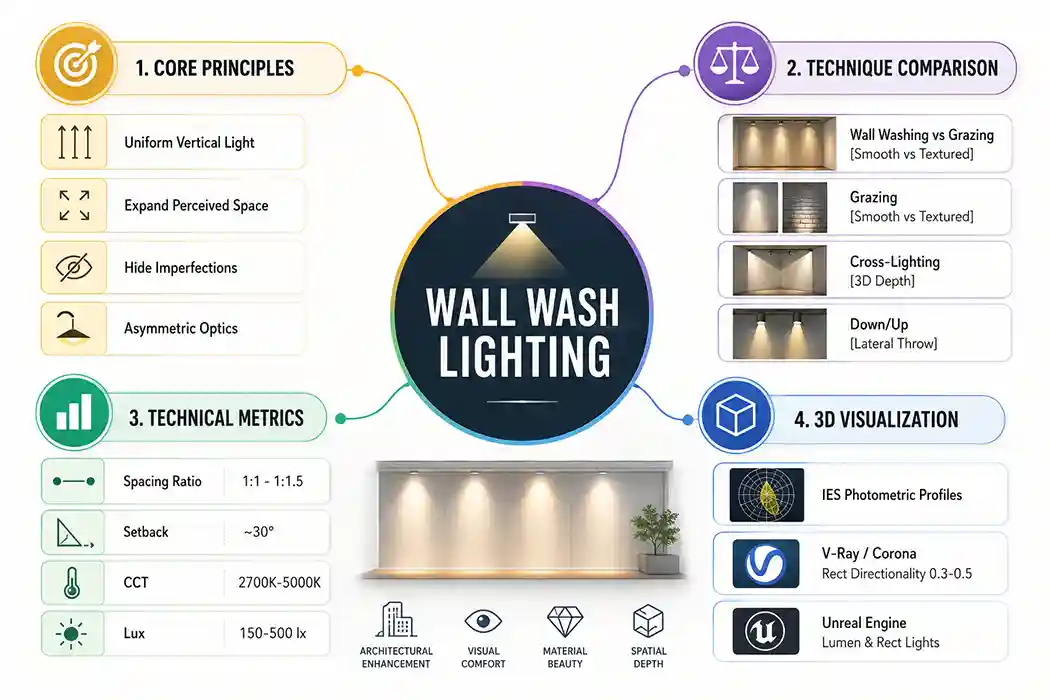
Understanding Wall Wash Lighting
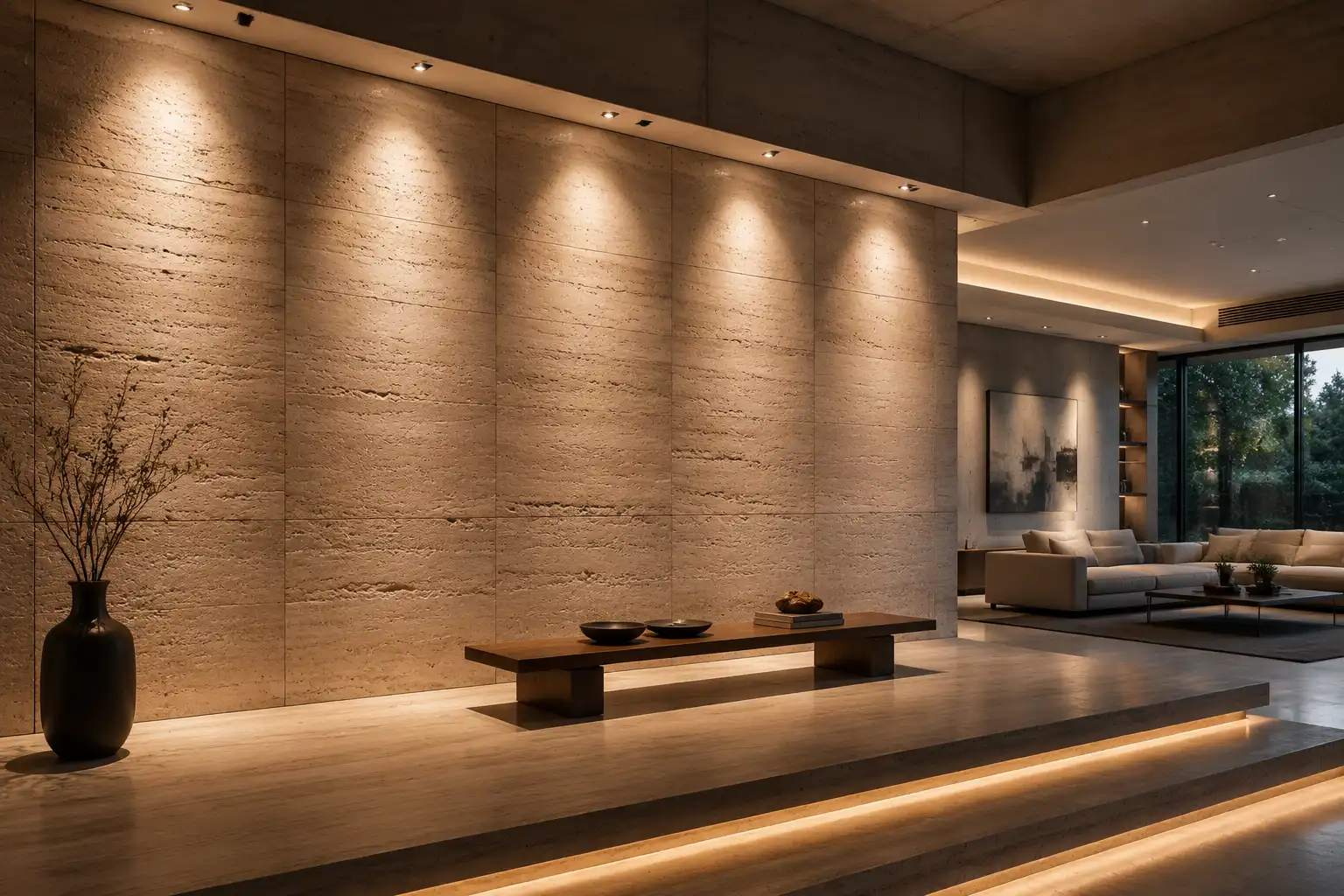
Wall wash lighting is an architectural technique designed to cover a wide vertical plane with uniform brightness. Instead of casting focused beams or sharp spots, wall wash fixtures deliver an even distribution of light from ceiling to floor. This method eliminates harsh shadows, hides minor wall imperfections, and produces a soft, ambient glow.
When light covers an entire vertical surface, human eyes perceive the visual boundary as wider and more open. Interior designers frequently use vertical surface illumination to make compact rooms feel larger. In commercial settings, this approach creates clean, modern backdrops that highlight architectural symmetry and artwork.
How Wall Wash Lighting Works
Achieving uniform coverage requires specialized fixtures equipped with asymmetric optics or wide beam reflectors. Standard downlights project light in a symmetric cone straight down. In contrast, wall wash luminaires direct light sideways toward the wall at a calculated angle.
The optical system of a wall wash fixture spreads light higher up the wall near the ceiling line while smoothly throwing illumination down toward the baseboard. This continuous gradient prevents bright hot spots near the top of the wall and dark zones near the bottom.
Wall Washing vs. Other Architectural Lighting Techniques
To choose the right approach for a project, you must understand how wall washing compares to alternative strategies. Different methods produce distinct visual effects based on fixture placement and beam control.
Wall Washing vs. Wall Grazing
While wall washing aims to eliminate contrast and flat shadows, wall grazing intentionally creates shadows. Grazing fixtures sit very close to the wall surface, usually within 6 to 12 inches. They cast light across the vertical plane at a narrow angle. This tight angle emphasizes surface textures such as exposed brick, rough stone, or carved wood panels.
Conversely, the wall washing technique positions fixtures further away from the surface. This wider angle flattens out rough textures and produces a smooth appearance, making it ideal for smooth drywall, plaster, and matte surfaces.
Wall Washing vs. Cross-Lighting
Cross-lighting uses two or more light sources positioned at opposing angles to illuminate an object or wall. This technique creates three-dimensional depth on sculptures, textured features, or architectural pillars. Wall washing relies on parallel or aligned fixture runs to create a single, continuous sheet of light across a flat wall, rather than overlapping cross-beams.
Wall Washing vs. Uplighting and Downlighting
Uplighting casts illumination upward from floor level, while downlighting casts light directly downward from ceiling fixtures. Both approaches focus primarily on vertical orientation. Wall wash fixtures can be recessed in ceilings as downlights or mounted on floors as uplights, but their internal optics direct light laterally onto the vertical surface rather than straight up or down.
Comparison Table of Lighting Techniques
The table below summarizes the key differences between these core architectural lighting approaches.
| Technique | Beam Angle | Fixture Position | Primary Purpose | Ideal Surface Type |
|---|---|---|---|---|
| Wall Washing | Wide / Asymmetric (50°–80°) | 2.5 ft to 4 ft from wall | Uniform brightness, spatial enlargement | Smooth drywall, plaster, matte walls |
| Wall Grazing | Narrow (10°–25°) | 6 in to 12 in from wall | Highlighting surface texture and depth | Brick, natural stone, textured plaster |
| Cross-Lighting | Medium / Narrow (20°–40°) | Opposing lateral angles | Creating 3D depth and focal emphasis | Sculptures, columns, feature objects |
| Downlighting | Standard Cone (30°–60°) | Directly overhead | General ambient or task illumination | Floors, tables, general open areas |
Technical Implementation: Spacing, CCT, and Lux Levels
Executing an effective layout requires precise calculations. Misjudging fixture placement or color temperature can result in uneven scallops, distracting shadows, or uncomfortable glare.
Fixture Spacing-to-Distance Ratio
The relationship between the fixture’s distance from the wall and the distance between adjacent fixtures dictates coverage uniformity. Lighting designers use the spacing-to-distance ratio to establish correct positioning.
As a standard rule, keep a ratio of 1:1 to 1:1.5. If you place a wall wash fixture 3 feet away from the wall, space adjacent fixtures between 3 feet and 4.5 feet apart.
- Distance from wall (D): Typically 1/3 of the ceiling height. For a 9-foot ceiling, place fixtures 3 feet from the wall.
- Spacing between fixtures (S): Match distance (D) for bright display walls, or multiply distance by 1.25 to 1.5 for subtle ambient washes.
- Setback Angle: Target an aim angle of roughly 30 degrees from the vertical axis toward the wall surface.
Recommended Color Temperature (CCT) by Application
Selecting the appropriate Correlated Color Temperature (CCT) sets the visual mood and affects how colors appear on the illuminated surface. Choosing the right CCT depends on the functional environment.
- Residential Living Areas (2700K – 3000K): Warm white light creates a comfortable, cozy atmosphere across living room and bedroom feature walls.
- Galleries and Retail Spaces (3000K – 3500K): Neutral warm light offers strong color rendering (CRI 90+) without altering artistic pigments or display merchandise.
- Offices and Educational Institutions (4000K – 5000K): Cool white vertical surface illumination boosts alertness and maintains crisp visual clarity in corporate hallways and lobbies.
Target Lux Levels for Wall Wash Installations
Required illuminance levels depend on room usage and ambient light conditions. The values below offer practical targets for vertical illuminance measured at the mid-point of the wall.
- Accent and Feature Walls: 150 lx to 300 lx provides noticeable vertical emphasis over background ambient levels.
- Art Galleries and Retail Displays: 300 lx to 500 lx ensures clear visual details on displayed objects.
- Commercial Lobbies and Backdrops: 200 lx to 400 lx creates an open visual environment without causing glare.
Simulating Wall Wash Lighting in 3D Visualization
Architectural visualizers must accurately represent wall wash lighting in digital renders. Standard point lights fail to capture the asymmetric throw of commercial wall wash fixtures. Using photometric data and correct material settings yields realistic results in modern render engines.
Configuring Wall Washing in V-Ray
To reproduce authentic wall washing in V-Ray, combine accurate light geometry with photometric data files.
- Use IES Light Profiles: Load a manufacturer IES file into a V-Ray IES light node. This preserves asymmetric beam angles and realistic drop-offs.
- Employ V-Ray Rect Lights: If IES files are unavailable, place a V-Ray Rect Light parallel to the wall. Set the Directional parameter between 0.3 and 0.5 to narrow the spread toward the wall while avoiding wide spill.
- Material Adjustments: Ensure wall materials use realistic diffuse reflection values (typically 0.6 to 0.8 for white paint) to prevent unnatural light saturation in global illumination passes.
Setting Up Wall Wash Lighting in Corona Renderer
Corona Renderer handles soft lighting distribution efficiently through photometric profiles and direct target controls.
- Load Photometric Web Data: Create a CoronaLight set to Photometric mode. Select an asymmetric wall wash IES profile to ensure smooth vertical gradients.
- Adjust Directionality: For area lights, increase the Directionality spinner to 40% or 50%. This projects light forward onto the target wall rather than scattering it equally across the ceiling.
- Check Light Solver Settings: Keep Corona’s default light solver enabled. It manages soft light bounces across large vertical surfaces cleanly.
Real-Time Wall Wash Simulation in Unreal Engine
Real-time visualization in Unreal Engine requires careful setup to balance performance with realistic indirect bounce lighting.
- Utilize Rect Lights with IES Profiles: Insert a Rect Light component near the ceiling. Assign an asymmetric IES texture profile to the light slot to emulate physical fixture optics.
- Configure Lumen Global Illumination: Enable Lumen in your project settings. Wall wash fixtures rely heavily on secondary light bounces from walls to illuminate surrounding floor areas naturally.
- Refine Lightmass and Volumetrics: If baking static lighting, increase the Lightmass indirect resolution. For dynamic scenes, disable volumetric fog interaction on wall wash fixtures unless atmospheric haze is explicitly required.
