



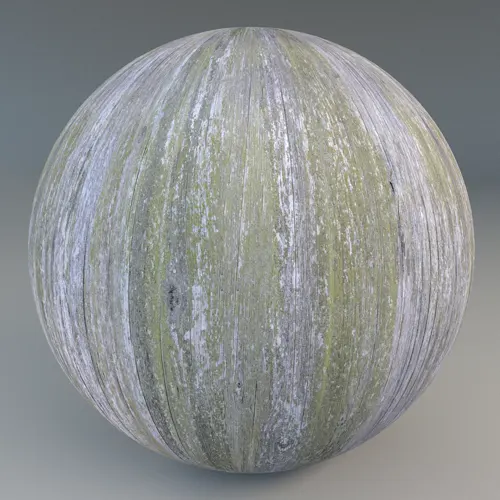
Achieving Authenticity with a Weathered Distressed Gray Reclaimed Wood Plank
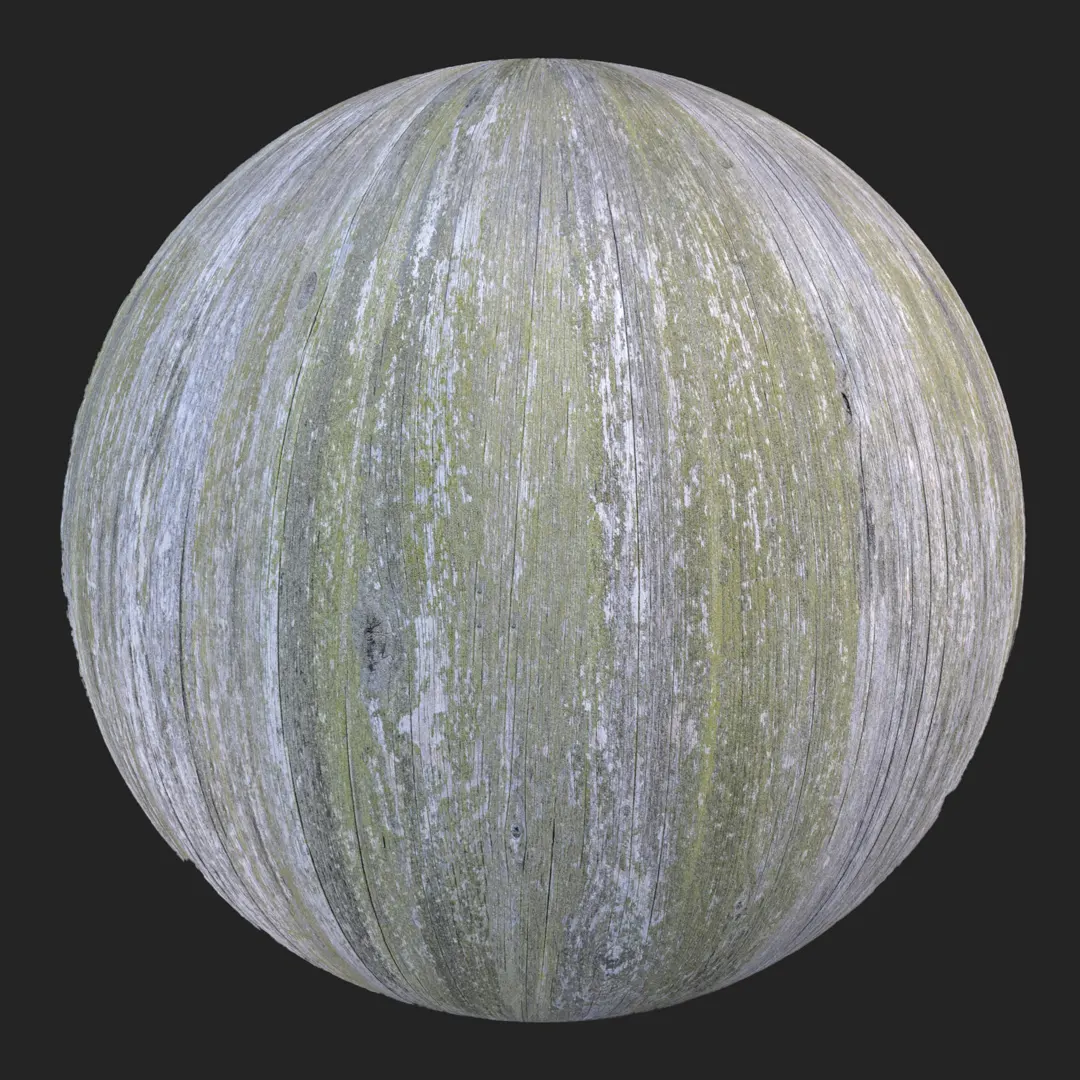
For projects requiring an authentic, lived-in aesthetic, this Weathered Distressed Gray Reclaimed Wood Plank offers the perfect balance of rugged texture and refined color. The material captures the essence of aged lumber, featuring a silver-gray patina contrasted by charcoal tones and subtle hints of faded green moss. Its vertical grain structure and natural fiber separation provide a high degree of visual interest, making it a reliable choice for artists focusing on architectural storytelling or high-fidelity environment design. By integrating this PBR surface, you ensure that your reclaimed wood elements carry the weight of years of environmental exposure without requiring manual texture painting.
Implementation in Architectural and Game Environments
This wood material shines in projects that demand tactile surfaces. In interior design, it serves as an excellent focal point for feature walls in lofts, rustic bar frontages, or as a textured ceiling treatment in boutique retail spaces. Its rugged characteristics make it equally suited for exterior architectural visualization, such as coastal cottage siding or garden structures. For Unreal Engine and game artists, this material is a versatile asset for creating environmental storytelling props, such as dilapidated crates, abandoned cabin walls, or structural ruins, where distinct age and wear are essential to the atmosphere.
Designing with Rustic and Coastal Surfaces
The cool, desaturated color palette of this reclaimed wood makes it an ideal companion for high-contrast pairings. It works exceptionally well with industrial materials like rusted corrugated metal, smooth polished concrete, or black powder-coated iron hardware. When utilized in residential design, consider pairing this texture with neutral, soft-toned linen fabrics or warm, low-temperature ambient lighting to accentuate the splintered, matte surface quality. The material fits perfectly into Wabi-Sabi, coastal rustic, or industrial design styles where the beauty of imperfection is the primary goal.
Technical Precision for High-End Rendering
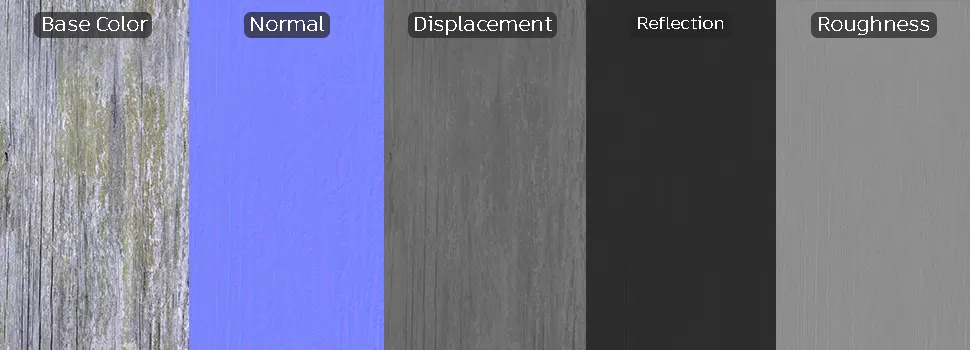
Engineered as a seamless 8K PBR material, this texture provides immense detail for close-up shots. The inclusion of high-quality Normal and Displacement maps ensures that the vertical fissures and depth of the wood grain render with physical accuracy, avoiding the “flat” look common in lower-resolution textures. Because the pattern is medium-scale, it remains efficient for large surfaces while maintaining enough unique knots and weathering to avoid repetitive tiling artifacts. One caution for users: due to the prominent nature of the mossy patches, if you are mapping this to an exceptionally large area, consider adding a slight layer of noise or rotation variation to the UVs to break up the pattern continuity.
Save Time with AfterBox
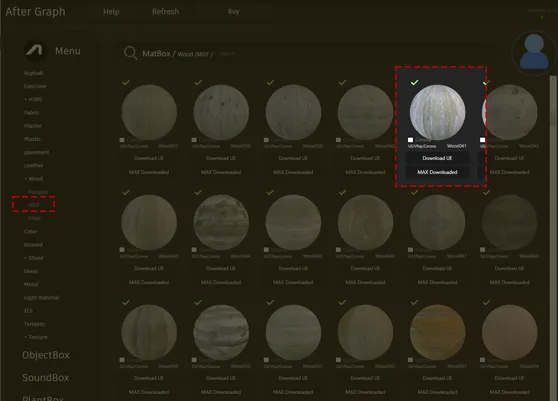
Browse, download and apply materials directly in Unreal Engine, V-Ray and Corona.
Enhancing Realism Through Layered Aging
To push the realism of this material further, consider layering additional environmental details over the surface. Using a vertex paint approach or an additional decal pass, you can add accumulation of dust within the deep grain fissures or increase the moss density near the bottom of wall sections where moisture might collect. By modulating the roughness map in your engine of choice, you can also simulate specific weathering conditions—such as a slightly glossier finish where the wood has been polished by human touch, or a flatter, bone-dry look for exposed exterior elements.




Streamlining Production with Ready Materials
This material is optimized for immediate integration into professional pipelines. The PBR data structure is set up so that its ready-made material can be deployed in Unreal Engine, V-Ray, and Corona Renderer with minimal setup. By utilizing the provided maps, you avoid the time-consuming process of manually building shaders from scratch. The ready-made assets are calibrated for real-world lighting, ensuring that your reflections and displacement values behave predictably right out of the gate. This allows you to focus on scene composition rather than troubleshooting material settings.

Workflow Efficiency for Professional Projects
By adopting this professional-grade asset, you can drag and drop the material directly into your scene for instant results. This workflow is designed for busy studios that need to maintain high visual standards without the overhead of lengthy material creation and testing cycles. For artists looking to scale their production, our subscription plans provide full access to a library of consistent, high-fidelity surfaces. Explore more information about subscription: https://after-box.com/pricing/
Save time on material setup
Instead of downloading this texture, use the optimized ready-made material for VRay , Corona Renderer (3ds Max) and Unreal Engine available in AfterBox.
No manual setup


