




Enhancing Environments with a Versatile Palm Asset
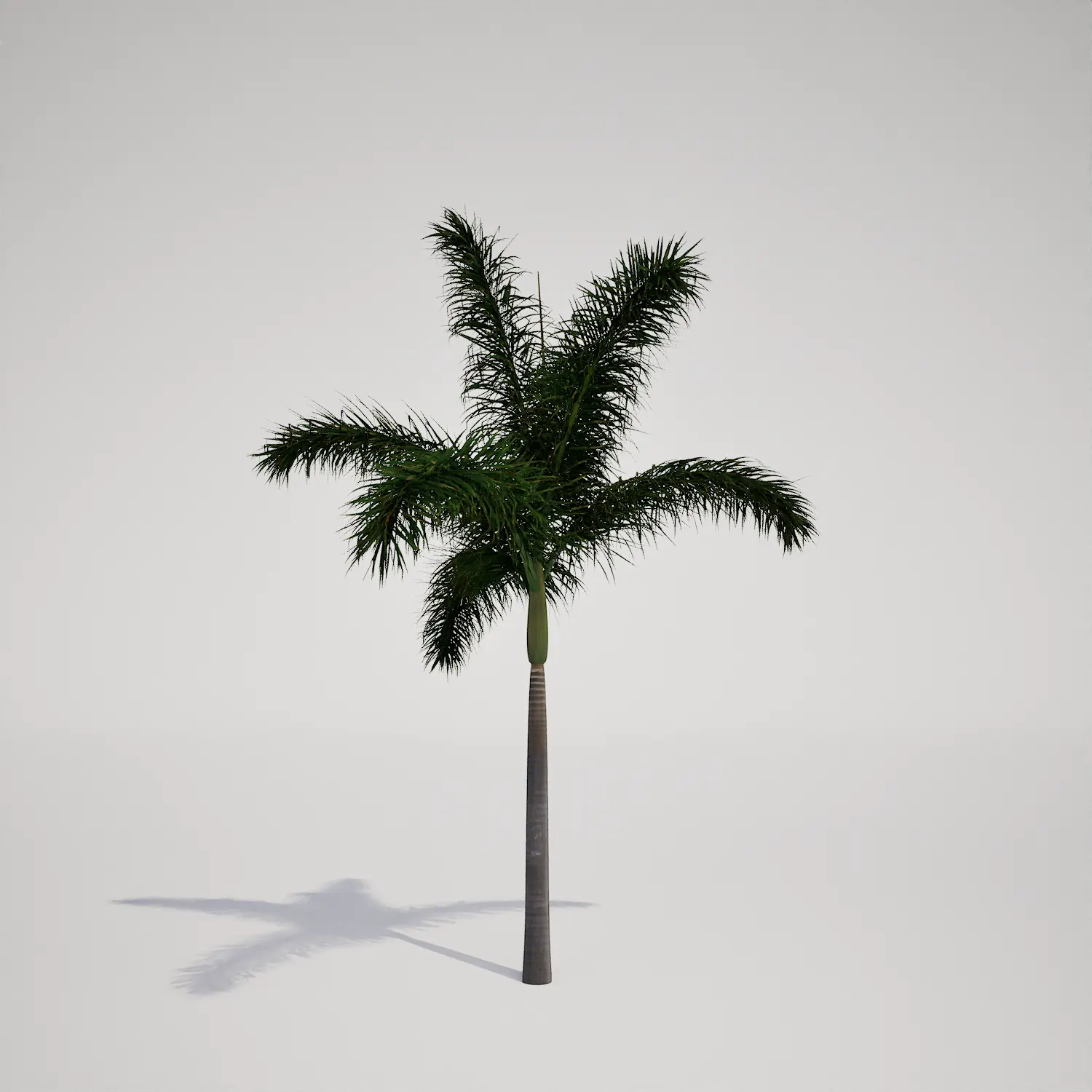
When designing exterior scenes that demand a clean, vertical accent, a well-modeled palm is often the missing piece. This free tropical palm 3D asset provides a high-quality, single-stemmed solution that fits perfectly into various architectural and game environments. Characterized by its slender, ringed trunk and a lush, symmetrical crown of pinnate fronds, this model captures a profile similar in appearance to a tropical feather palm. It serves as a reliable building block for creators who need to balance visual impact with technical efficiency in their Unreal Engine projects.

Implementation in Professional Projects
This asset excels in outdoor commercial and residential designs, especially where a coastal or resort aesthetic is required. Landscape architects will find it useful for creating rhythmic avenue planting, while exterior visualizers can utilize it as a focal point for pool decks or high-end villa terraces. For game developers, the slender silhouette is perfect for creating believable island maps or adding detail to urban streetscapes. Its clean geometry makes it suitable for interior spaces as well, such as large hotel atriums or lobby areas that require a touch of green without being overly bulky.
Environmental Fit and Design Versatility
Designed specifically for tropical and subtropical settings, this plant maintains a year-round evergreen appearance, making it highly consistent for long-term project visualization. It thrives in architectural styles ranging from modern tropical to coastal contemporary. To create a cohesive look, consider pairing this palm with broader-leaf plants like the bird of paradise asset or hardy hibiscus vegetation asset. It also complements clean, minimalist hardscapes like white concrete pavers or soft beach sand. Please note that this species is less suitable for arid desert xeriscaping or traditional English cottage gardens, where its distinct tropical character may conflict with the local climate or design language.
High-Performance Rendering Technicals
With a poly count of 284,639 triangles, this model is built for performance. It is fully Nanite-compatible, which eliminates the need for manual LODs and ensures a smooth, seamless transition in real-time environments. The trunk texture is highly detailed, while the fronds use alpha-mapped geometry to maintain a realistic silhouette without excessive geometry overhead. For those interested in the basics of botanical lighting, ensuring proper light probe placement will help integrate the deep green tones of the foliage into your broader scene lighting.

Best Practices for Natural Scattering
Because this asset has a distinct, singular structure, placing identical copies too close together can lead to visual repetition. To achieve a natural look, use the Unreal Engine foliage tool to randomize the rotation and scale of your instances. I recommend varying the height by at least 10–15% and rotating them heavily so the frond arrangement doesn’t look identical from any given viewing angle. If building a dense grove, intersperse these with other vegetation to break up the silhouette and create a more organic, randomized appearance.
Seamless Unreal Engine Foliage Integration
This plant asset is optimized for immediate use in Unreal Engine 5 projects. Because it is Nanite-ready, you can simply drag it into your level and scale it to fit your scene needs without worrying about complex LOD transitions or performance degradation. The materials are already set up to receive global illumination and wind, allowing you to focus on your scene layout rather than troubleshooting asset configurations.
Streamlined Asset Workflow
You can import this asset directly into your current workspace to populate your outdoor landscapes instantly. It removes the need for manual modeling or texture optimization, allowing you to focus on the artistic side of environmental design. If you are looking for more tools to expand your library, you can learn more about our subscription plans at https://after-box.com/pricing/.

Save time importing objects
Download this object and hundreds of others from Afterbox software right now and import it into your Unreal Engine project with one click.
