




Achieving Realism with Marked Asphalt Pavement Texture
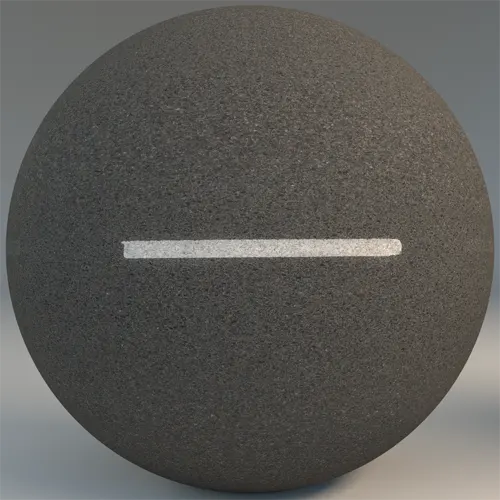
When composing large-scale site plans or urban streetscapes, finding a high-fidelity asphalt texture with consistent markings is essential for grounding your scene. This marked asphalt pavement texture provides a balanced, medium-scale surface that captures the gritty, coarse-grained nature of real-world roads. The slate-grey base is punctuated by a crisp, centered white thermoplastic line, offering the high contrast necessary to draw the viewer’s eye toward infrastructure details without overwhelming the surrounding environment. Designed for professional workflows, this material delivers the technical accuracy required for both static architectural stills and interactive walkthroughs.
Practical Applications for Infrastructure Visualization
This material excels in environments requiring clear circulation paths. In architectural site planning, it is perfectly suited for rendering parking lots, commercial driveways, and suburban road networks. For Unreal Engine artists working on game environment assets, the linear nature of the marking helps define road bounds, making it a reliable base for racing tracks or urban city streets. Interior designers might find use for this material in modern industrial lofts, thematic retail spaces, or polished underground garage visualizations where a raw, urban aesthetic is requested.
Architectural Context and Material Compatibility
To maintain a cohesive design language, pair this asphalt with materials that reflect an industrial or brutalist palette. It functions exceptionally well alongside pre-cast concrete panels, weathered rusted steel, or brushed aluminum elements. The neutral charcoal and slate tones act as a quiet anchor, allowing more vibrant design elements like yellow safety signage or illuminated storefronts to stand out. While this surface is ideal for most urban settings, it is likely too coarse for high-end residential interiors where a more refined or polished aesthetic is the priority.
Technical Precision for Rendering Workflows
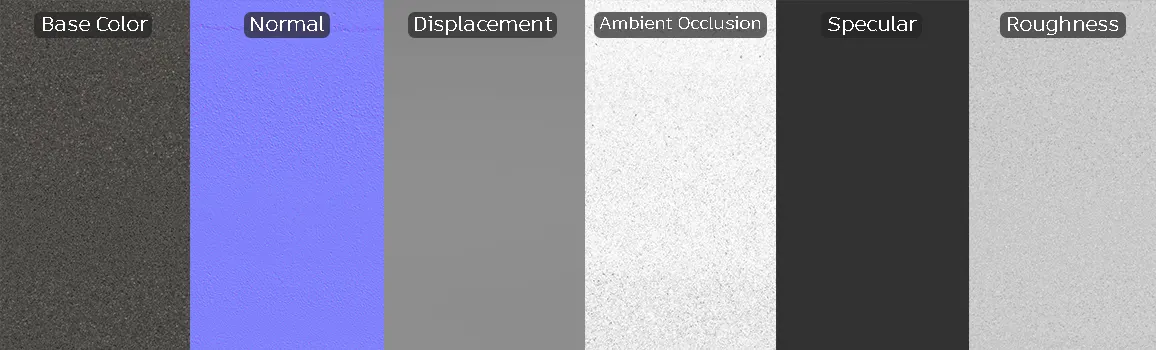
The material is provided as a full 8K PBR map set, ensuring that even close-up camera angles retain crisp, granular detail. The normal and displacement maps work in tandem to elevate the aggregate grain from the flat surface, while the included ambient occlusion map reinforces depth around the edges of the road marking. Because the texture is seamless, it handles large-scale distribution across expansive scenes effectively. To ensure the most photorealistic results in V-Ray, Corona, or Unreal Engine, verify that your tiling settings are adjusted to prevent the uniform road line from creating a repetitive, unnatural pattern across long stretches.
Save Time with AfterBox
Browse, download and apply materials directly in Unreal Engine, V-Ray and Corona.
Enhancing Realism Through Environmental Decay
A pristine road is rarely seen in professional architectural visualization. To push your project toward a higher level of photorealism, use the base material as a foundation and overlay localized detail. Adding subtle oil stains, tire marks, or moisture patches using secondary shaders will break the uniform surface. Furthermore, masking the edges of the white thermoplastic stripe with slight weathering or grit can simulate years of traffic wear, which significantly elevates the believability of the pavement in exterior shots.




Pre-Configured Assets for Rapid Production
This material is optimized for seamless integration into your preferred rendering engine. Because the assets are structured for high-end PBR workflows, you can import them into Unreal Engine, V-Ray, or Corona Renderer and achieve accurate light interaction immediately. The ready-made configuration ensures that reflection, gloss, and depth parameters are balanced to mimic real bitumen surfaces, saving you valuable time during the shader development phase.

Streamlined Download and Implementation
By utilizing these ready-to-use PBR assets, you bypass the tedious process of building custom shaders, allowing you to focus on scene lighting and composition. Simply drag and drop the maps into your project, or use the pre-setup material files to speed up your render testing. For teams working on tight deadlines, this ready-made approach is a massive efficiency boost. To explore subscription options that provide unlimited access to our high-resolution library, visit https://after-box.com/pricing/.

Save time on material setup
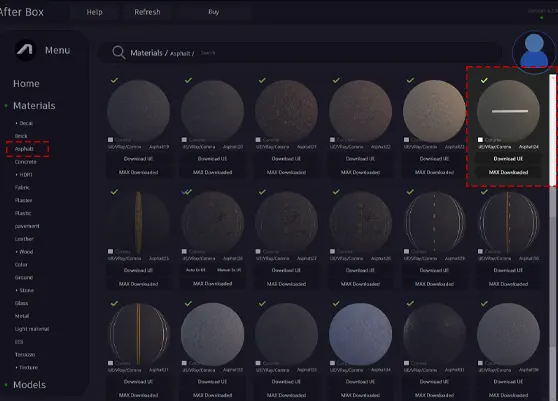
Instead of downloading this texture, use the optimized ready-made material for V-Ray , Corona Renderer (3ds Max) and Unreal Engine available in AfterBox.
No manual setup


