


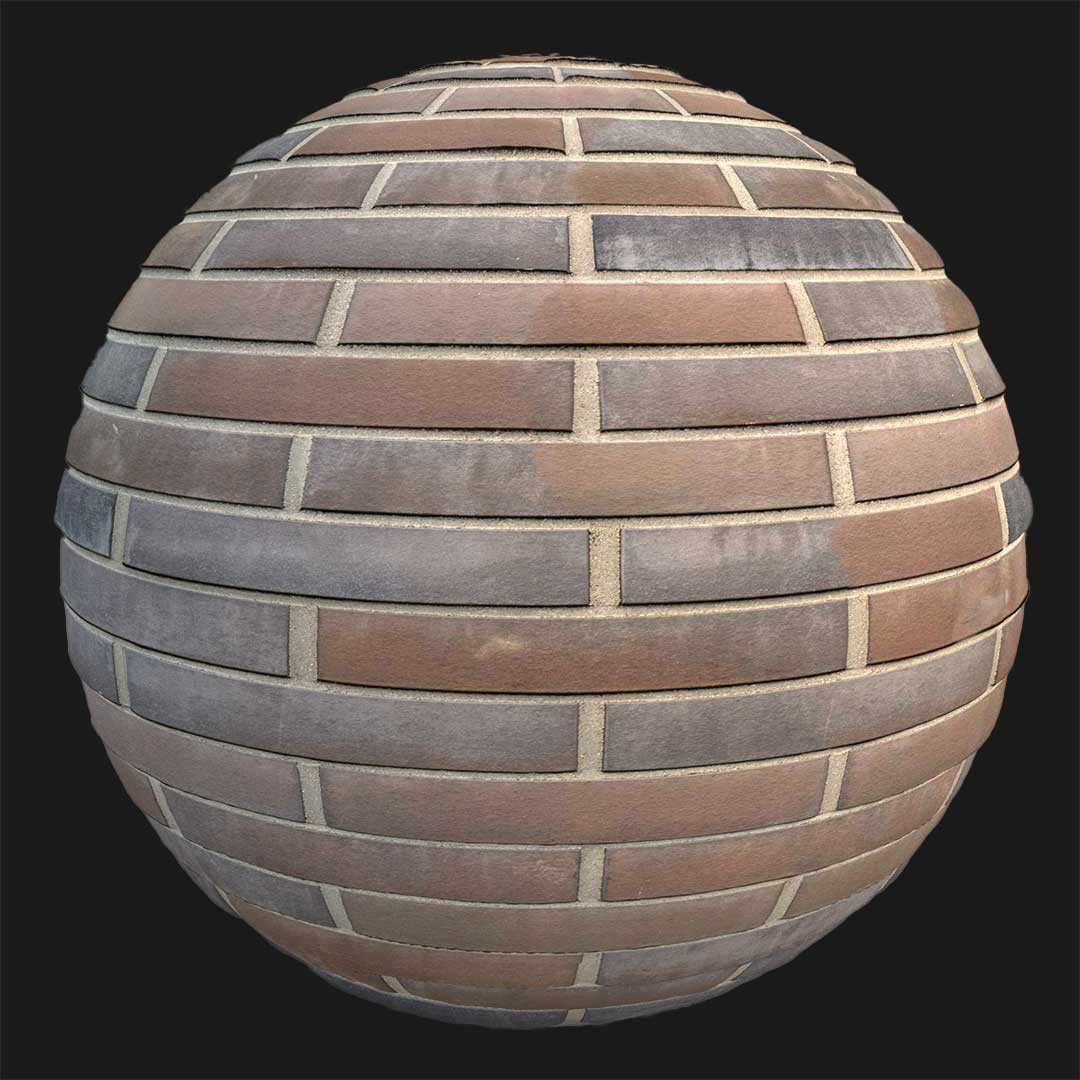

Context & Visual Identity – Free Limestone Block Wall Texture
This free limestone block wall texture represents masonry that has aged naturally over decades, if not centuries. The wall is composed of rectangular limestone blocks arranged in a horizontal running bond pattern. However, unlike newly cut stone, the edges are softened by erosion, and the surface shows visible porosity and subtle cavities.

The dominant light warm gray tone, leaning toward beige gray, reflects the mineral character of limestone. Because the mortar joints are relatively thick and slightly irregular, the wall feels handcrafted rather than industrially manufactured. As a result, the material carries a rustic and historic architectural identity.
This type of stone brick wall texture is typically found in heritage buildings, restored facades, Mediterranean architecture, and rural European structures. Therefore, it communicates permanence and authenticity rather than decorative styling.
Typical Problems This Free Stone Brick Wall PBR Solves
In architectural visualization, stone walls often look either too uniform or overly stylized. Consequently, scenes that aim for realism may feel synthetic.
This free stone brick wall PBR solves that issue by introducing controlled variation between blocks. Because each limestone unit displays slight erosion and tonal shifts, repetition is significantly reduced across large surfaces. In addition, the porous surface reacts naturally to light, preventing the “flat texture” effect common in low-quality materials.
Another common challenge is balancing historical character with production efficiency. Instead of modeling complex stone geometry, this seamless limestone block texture provides depth and realism directly through its PBR maps. As a result, artists can maintain visual credibility without increasing polygon complexity.
Practical Use Cases – Free Limestone Block Wall Texture in Production
This free limestone block wall texture is particularly effective in:
Architectural visualization of historic or restoration projects
Exterior facade rendering for heritage-style buildings
Medieval or rustic game environments
Cinematic outdoor scenes requiring believable masonry
Landscape architecture projects with stone boundary walls
For example, in Unreal Engine, it can define the outer walls of a medieval town or a restored monastery. Similarly, in V-Ray or Corona renders, it works well for facade close-ups where stone texture detail is critical.
Because the material is seamless and delivered in 8K resolution (8096×8096), it supports both wide establishing shots and detailed camera proximity. Moreover, the natural stone variation minimizes visible tiling in large-scale environments.
Rendering & Realism Notes
From a shading perspective, this limestone block wall texture benefits from its rough, porous surface. Under grazing sunlight, micro-shadows appear within erosion marks and cavities. Consequently, the wall gains depth without aggressive displacement settings.
The warm gray coloration absorbs light softly, while subtle roughness variation prevents unrealistic specular highlights. In HDRI-based daylight scenes, the surface feels dense and mineral-rich. Conversely, under dramatic cinematic lighting, the stone edges cast nuanced shadows that enhance realism.
Because it follows a logical running bond layout, it integrates convincingly into architectural compositions.
Render Engine Compatibility
This free limestone block wall texture is optimized for Unreal Engine, V-Ray, and Corona Renderer. In Unreal Engine, it integrates directly into standard PBR workflows and performs efficiently in real-time environments. Meanwhile, in V-Ray and Corona for 3ds Max, calibrated maps ensure predictable roughness and reflection behavior. As a result, artists can apply the material quickly without rebuilding shader networks. Furthermore, the texture maps are compatible with any PBR-supported rendering software.
Workflow Advantage with AfterBox
All materials, including this free limestone block wall texture, are accessible inside the lightweight AfterBox application (approximately 16MB).

Users can drag & drop the ready-to-use material directly into Unreal Engine or into V-Ray and Corona within 3ds Max.
Because both the texture download and the prepared material are available for free, the workflow remains efficient without additional setup time. Consequently, production teams can test, iterate, and render faster.
More details are available here:
https://after-box.com/pricing/
Access a comprehensive library of stone brick wall materials with an AfterBox subscription.


Save time on material setup
Instead of downloading this texture, use the optimized ready-made material for V-Ray, Corona Renderer (3ds Max) and Unreal Engine available in AfterBox.No manual setup


