


Introduction and Material Overview
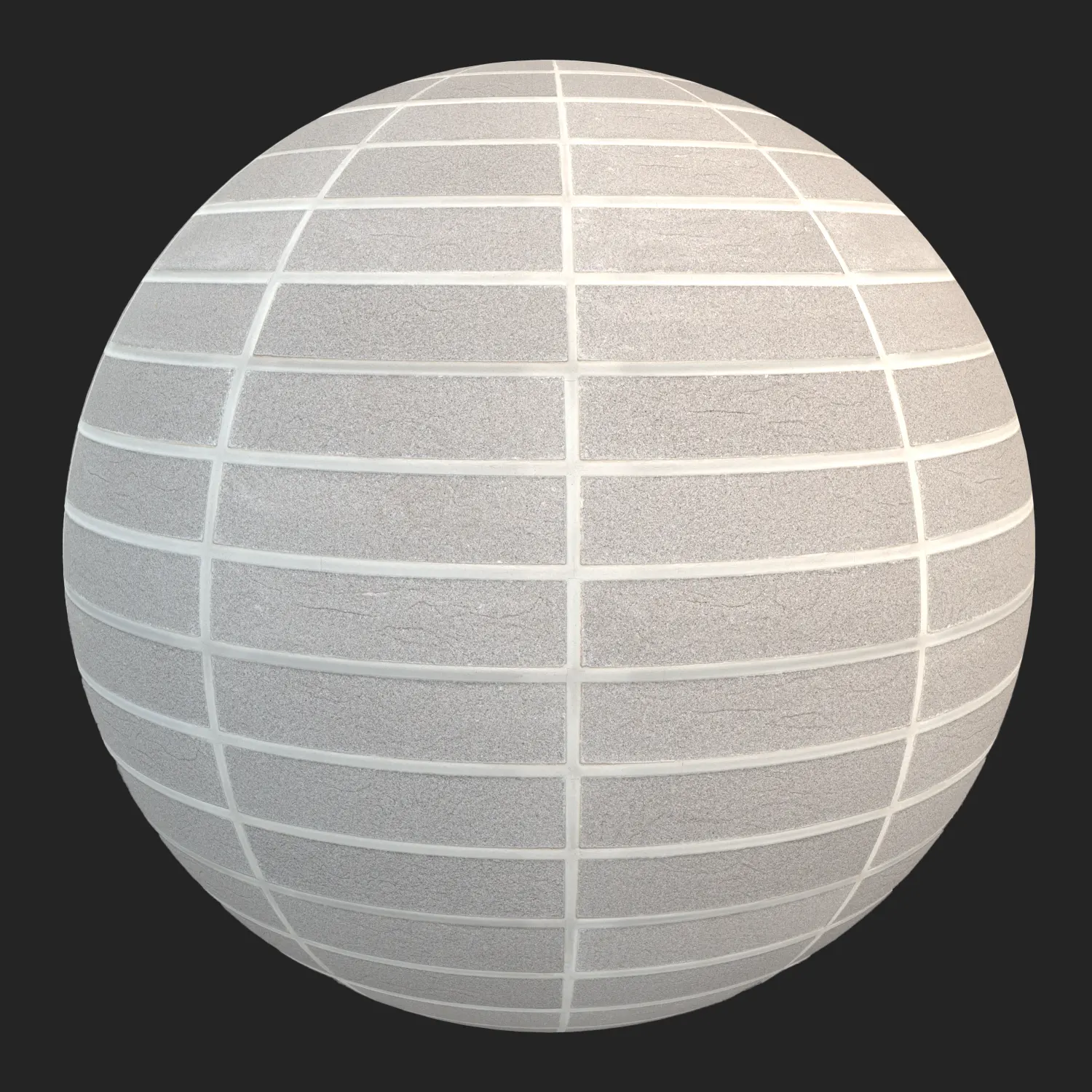
This Light Gray Linear Concrete Brick is a high-fidelity PBR material designed for projects requiring clean, architectural geometry. Its aesthetic is defined by a refined, sand-blasted concrete finish and uniform, thin mortar joints, offering a departure from the imperfections of traditional kiln-fired clay. Because of its modular, stacked linear pattern and consistent light gray color palette, this material provides a sophisticated, modern look that remains visually stable even when applied to large surfaces. Whether you are aiming for a minimalist residential facade or a sterile, sci-fi interior, this texture serves as a versatile foundation for your 3D scenes.

Best Uses in Real Projects
The clean, geometric nature of this linear brick makes it a natural fit for contemporary design. In interior spaces, use it to anchor feature walls in lobbies or as a textured backdrop for minimalist fireplace surrounds. Its cool color temperature allows it to sit comfortably alongside polished concrete floors, brushed steel, or oversized glass panels.
For exterior applications, this material is ideal for modern home facades and garden boundary walls where visual order is paramount. It works effectively for architects and 3D visualizers who need to communicate a sense of structural precision. Game environment artists will find this texture particularly useful for creating high-end urban spaces, modern brutalist structures, or clean, sci-fi modular environments where a repeating, high-quality pattern is required to establish a sense of scale.
Design Pairing and Style Fit
This material thrives in minimalist, Scandinavian, and brutalist design styles. Its cool-toned, monochromatic nature pairs exceptionally well with warm natural elements like white oak or walnut, which can help soften the clinical appearance of the gray concrete. When styling a scene, consider pairing this brick with black powder-coated metal window frames or soft, indirect cove lighting to accentuate the subtle shadows cast by the recessed grout lines.
While this brick is highly adaptable, it is generally less effective for rustic, farmhouse, or historical preservation projects. The high uniformity and linear profile may clash with organic, uneven materials; if your project requires a hand-crafted, weathered look, this material’s machine-made aesthetic will likely feel too sterile.
Rendering and Technical Notes
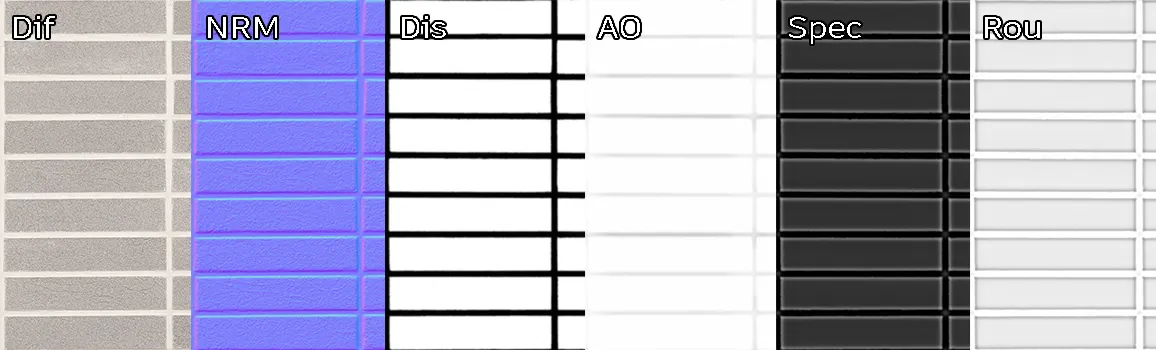
From a rendering perspective, the material provides excellent surface response due to its well-defined PBR maps. The included Displacement map is the key to achieving the necessary depth for the mortar joints; I recommend using this in conjunction with the Normal map to catch subtle edge highlights under raking light.
The fine-grained texture holds up remarkably well in close-up camera shots, maintaining its matte, porous character without showing artificial pixelation. For Unreal Engine users, the material’s uniform pattern significantly lowers the risk of visible tiling artifacts, even when scaled across vast architectural surfaces. Because the finish is matte, it does not suffer from unwanted specular hotspots, making it very predictable under various HDRI lighting setups.
Save Time with AfterBox
Browse, download and apply materials directly in Unreal Engine, V-Ray and Corona.
Dirt, Dust, and Weathering Options
To break up the uniformity, you can introduce custom weathering layers. In exterior visualizations, applying a subtle water-streak mask or light vertical dust buildup—particularly along the joints—will immediately anchor the brick into the environment and sell the realism of an outdoor facade.
For interior lobby or office renders, keep the material relatively clean. A hint of low-opacity ambient occlusion or a subtle dirt map in the recesses can help differentiate the brick from the mortar. Be careful not to over-weather the surface; the material is intended to represent high-quality manufactured blocks, so excessive grunge can quickly undermine the architectural intent of the design.




Ready Material Workflow
Working with ready-made materials for Unreal Engine, V-Ray, and Corona significantly streamlines the production pipeline. Instead of manually connecting maps and tuning reflection parameters, these pre-configured files are ready for immediate use, ensuring consistent results across your project. Having these materials pre-tested allows you to focus on scene lighting and composition rather than troubleshooting texture mapping issues.

Download and AfterBox Workflow
To speed up your workflow, we have integrated this material into the AfterBox application. This tool allows you to drag and drop assets directly into your preferred rendering software, drastically reducing the time spent on repetitive material setup. Whether you are managing complex architectural scenes or modular game environments, AfterBox ensures your PBR materials are correctly imported and ready to render. You can explore the full range of available tools at https://after-box.com/pricing/


Save time on material setup
Instead of downloading this texture, use the optimized ready-made material for VRay , Corona Renderer (3ds Max) and Unreal Engine available in AfterBox.
No manual setup


