


Professional Grade Fine-Grained Gray Asphalt Pavement
Achieving a realistic urban ground plane requires more than just a flat color; it demands a nuanced surface that reacts correctly to light. Our fine-grained gray asphalt pavement provides a high-fidelity foundation for your exterior scenes. With its tight, dense aggregate structure and charcoal-to-slate tonal range, this material bridges the gap between clean suburban driveways and heavy-duty industrial roadways. The subtle, microscopic surface variations ensure that the material avoids the “plastic” look often associated with low-quality textures, providing the necessary grit for realistic light scattering.
Versatile Applications for Exterior Visualization
Whether you are populating an expansive commercial parking lot or detailing a close-up pedestrian plaza, this asphalt texture for archviz holds its own. Its neutral color palette makes it an ideal choice for site plan renderings where the ground should provide context without distracting from the primary architecture. In game environments, the material is perfectly suited for city streets or suburban backdrops where a consistent, non-tiling surface is required to maintain the player’s immersion.Architectural Pairings and Design Context
This material thrives when contrasted against structured, human-made elements. It serves as a grounded, matte backdrop for materials like brushed stainless steel, raw architectural concrete, or weathered Corten steel. While the asphalt is excellent for modern minimalist or brutalist aesthetics, it should be avoided for luxury interior flooring applications where a more refined, polished finish is requested.Technical Depth for PBR asphalt for 3ds Max Workflows
Engineered at 8K resolution, this surface includes a comprehensive map set: Base Color, Specular, Roughness, Normal, and Displacement. The inclusion of an Ambient Occlusion map allows for deep shadow penetration within the aggregate pits. For standard rendering scales, the provided normal maps are sufficient; however, for extreme macro shots, we recommend applying an additional procedural noise mask to further break up specular highlights and enhance the raw, gritty aesthetic of the pavement.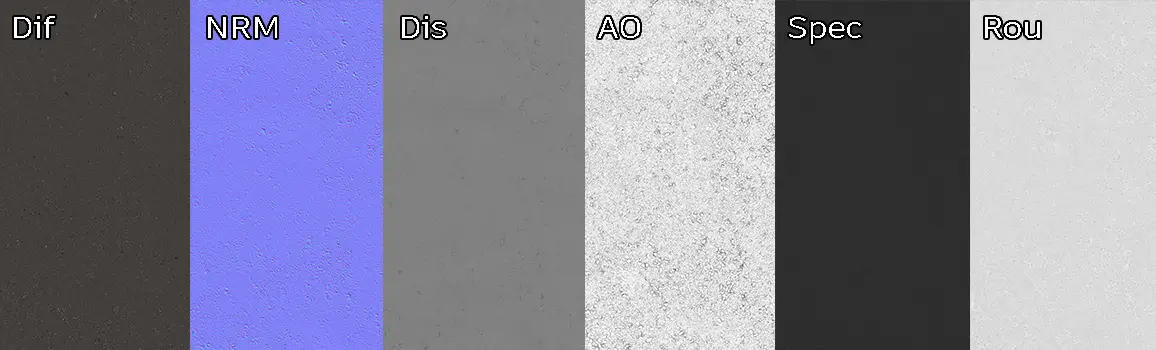
Save Time with AfterBox
Browse, download and apply materials directly in Unreal Engine, V-Ray and Corona.
Integrating Signs of Use
Real-world asphalt is rarely pristine. To elevate your scene, we recommend layering additional “decals” over this base material. Incorporating localized puddles, oil stains, or subtle tire marks will significantly improve the visual hierarchy of your ground plane. Because the material features a random, uniform distribution, it acts as an ideal canvas for painting wear and tear without creating jarring tiling artifacts.



Pre-Configured Materials for Your Workflow
This asset comes pre-configured for V-Ray, Corona Renderer, and Unreal Engine. By utilizing the ready-made material setups, you bypass the tedious process of node-graph construction. Each material is tuned to ensure that PBR values for reflectivity and roughness behave predictably under varying HDRI lighting conditions. Simply import the assets into your project library and drag them into your scene to achieve professional results instantly.
Streamlined Asset Integration
The AfterBox workflow is designed to minimize friction between inspiration and execution. By providing native support for major rendering engines, we allow you to focus on light and composition rather than manual material assembly. For studios managing high-volume production schedules, our premium subscription ensures constant access to these production-ready assets.Save time on material setup
Instead of downloading this texture, use the optimized ready-made material for V-Ray , Corona Renderer (3ds Max) and Unreal Engine available in AfterBox.
No manual setup


