


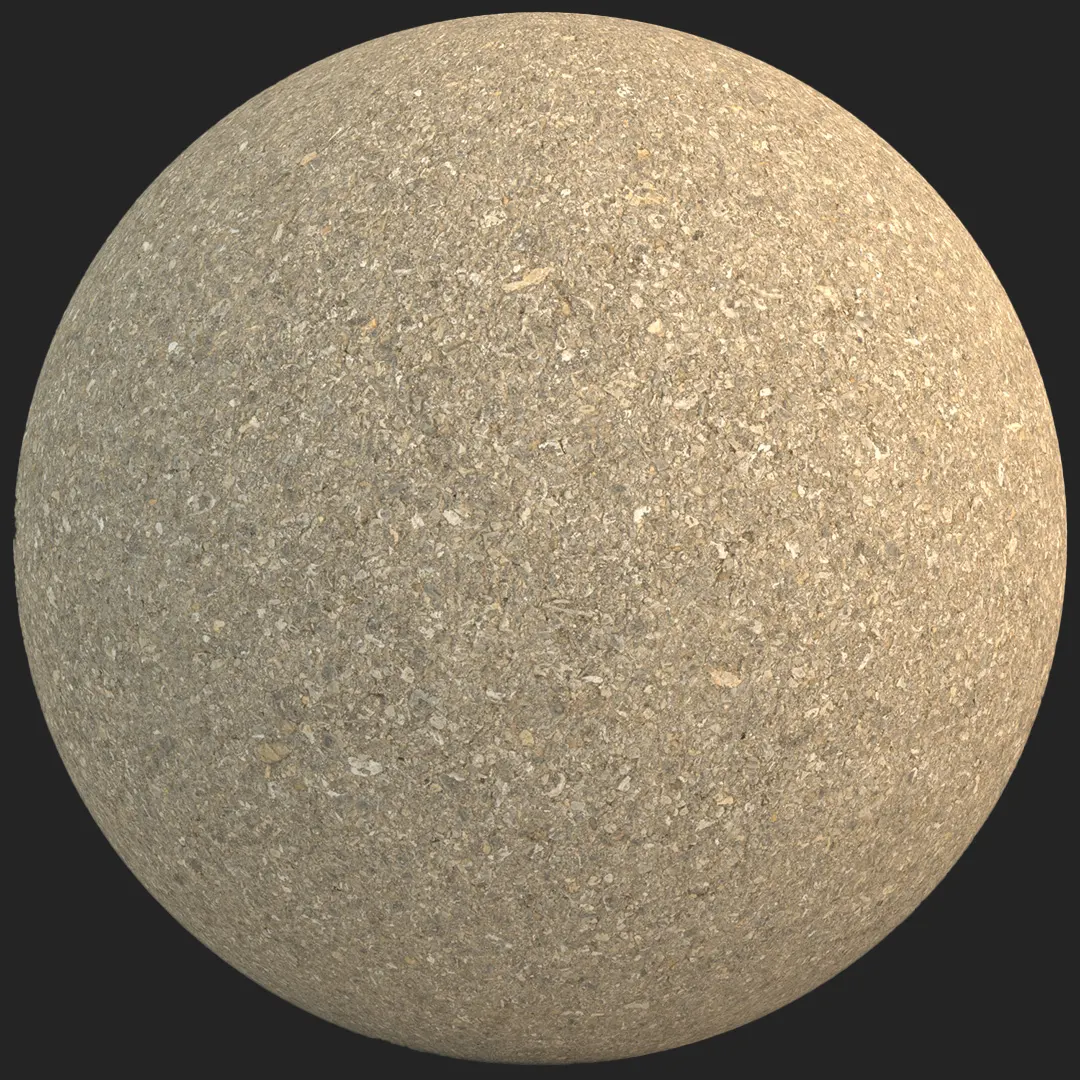


## Understanding the fine-aggregate asphalt surface
Achieving a high-fidelity ground plane requires a balance between grit, color variation, and surface relief. This weathered fine-aggregate asphalt offers a neutral, medium-gray base that avoids the synthetic, overly dark look often found in lower-quality textures.
The scan captures a complex mix of crushed stone and sand, resulting in a granular finish that reacts realistically to varied lighting conditions, from harsh noon sunlight to soft overcast exterior scenarios.

## Versatile project applications
This material excels in scenes requiring high-detail ground surfaces that ground the viewer in reality. For urban planning and architectural visualization, it provides a stable, unobtrusive base for streetscapes and pedestrian plazas. In interior applications, it serves as a robust choice for industrial-style commercial showrooms or modern lobby flooring where a tactile, raw aesthetic is desired. Game environment artists will find its seamless nature particularly useful for tiling across large parking lots or urban sidewalk fragments without creating repetitive, distracting patterns.
## Design integration and material synergy
The neutral charcoal and cool beige tones of this asphalt pair seamlessly with contemporary and brutalist design palettes. It acts as an excellent background for weathered steel planters, painted metal bollards, or vibrant yellow striping paint.
While it excels in these contexts, users should note that it is less suited for high-end residential interiors where smooth, polished surfaces are preferred over rugged textures. The inherent porosity of this asphalt brings a sense of authenticity that supports minimalist or industrial design narratives.
## Technical rendering performance
The high-resolution 8K source ensures that the granular detail remains crisp even in tight macro shots or close-up camera angles. The included maps—Base Color, Specular, Roughness, Normal, and Displacement—are calibrated to pull out the subtle micro-relief of the stone particles.
Using the displacement map is recommended for close-up ground shots to effectively simulate the irregular depth between individual aggregate pieces, as this significantly boosts the visual weight of the surface compared to normal-mapping alone.

Save Time with AfterBox
Browse, download and apply materials directly in Unreal Engine, V-Ray and Corona.
## Enhancing realism through layering
To move beyond a “clean” look, consider layering specific assets over this surface to tell a story of use. Adding subtle oil stains, tire tread imprints, or white thermoplastic road markings can instantly break the uniformity of a large site. In areas representing shade or damp environments, blending in moss growth or subtle dust accumulation in the deeper crevices will significantly elevate the material’s sense of age and integration within your 3D environment.




## Streamlined production workflows
This material is fully optimized for immediate integration into your pipeline. Its PBR-compliant channel mapping ensures it behaves predictably across V-Ray, Corona Renderer, and Unreal Engine.
By utilizing the ready-made material settings, artists can bypass the time-consuming process of setting up complex node trees, allowing for faster iteration during the look-dev phase. These pre-configured files leverage the 8K maps to ensure consistency between your viewport and final output, saving hours of manual adjustment.

## Seamless deployment with AfterBox
AfterBox provides a frictionless workflow, enabling you to drag and drop high-fidelity materials directly into your scene. This removes technical bottlenecks, letting you focus on lighting and composition rather than material building.
Whether you are working on a massive urban visualization or a single-room industrial render, the AfterBox subscription library offers the professional-grade assets necessary to maintain high visual standards under tight deadlines. Explore our full library to support your next project at https://after-box.com/pricing/.

Save time on material setup
Instead of downloading this texture, use the optimized ready-made material for VRay , Corona Renderer (3ds Max) and Unreal Engine available in AfterBox.
No manual setup


