


## Authentic Asphalt Texture for Professional Visualization
When developing realistic urban environments, the base layer often defines the credibility of the entire scene. Our Weathered Fine-Grained Asphalt Pavement provides a highly detailed, neutral charcoal surface that captures the characteristic porosity of real-world roads. With its dense aggregate structure and subtle, naturally occurring hairline fractures, this material avoids the common “plastic” look of overly smooth textures. It is specifically designed to function as a foundation for architectural visualization, where the balance between clean tiling and authentic wear is essential for achieving a convincing ground plane.
## Versatile Applications in Architectural and Game Design
This asphalt is a versatile choice for both wide-angle exterior shots and tight close-up camera movements. Because of its granular nature, it excels in urban planning projects, parking structure visualizations, and residential driveway renders. For game environment artists, the material’s inherent imperfections provide a natural look for decayed industrial zones, city sidewalks, or neglected back-alleys. While it is perfect for industrial-themed interior flooring, we recommend avoiding it for high-end retail or residential living spaces where a more polished or refined material would be expected.
## Aesthetic Synergy and Style Integration
The neutral slate color palette makes this asphalt highly compatible with modern and brutalist architectural styles. It pairs exceptionally well with heavy concrete slabs, raw structural steel, or weathered timber elements. When using it in exterior scenes, adding painted safety lines or signage markings creates a sharp, professional contrast against the matte, rough surface. Its high-frequency detail ensures that it doesn’t wash out under strong direct sunlight, maintaining its depth and character across vast, open-ground scenes.
## Rendering Performance and Technical Precision
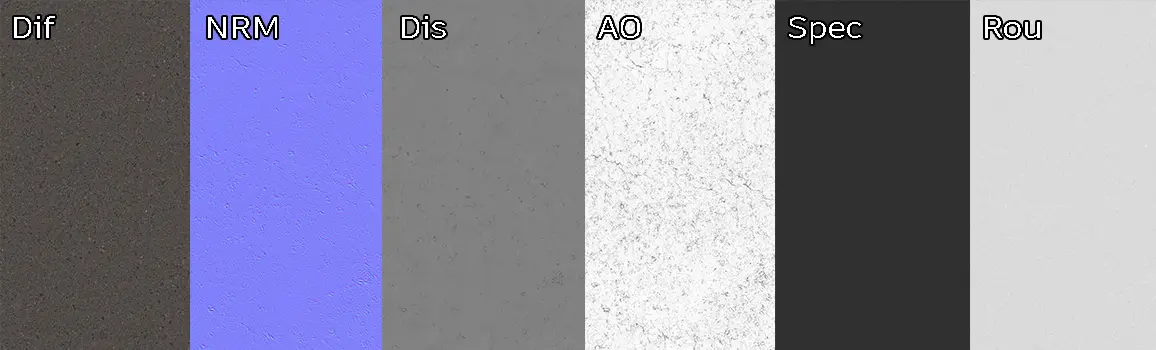
Engineered for high-end workflows, this 8K PBR material includes a full suite of maps to ensure physical accuracy. The provided Displacement map is particularly important here; by adjusting the scale, you can emphasize the microscopic relief of the individual aggregate stones, which is crucial for authentic glancing-angle lighting. The material is seamless, ensuring that you can cover large plaza areas or long stretches of road without visible tiling artifacts. The inclusion of Ambient Occlusion and specific Specular maps ensures that the rough, matte finish reacts predictably to various HDRI environments.
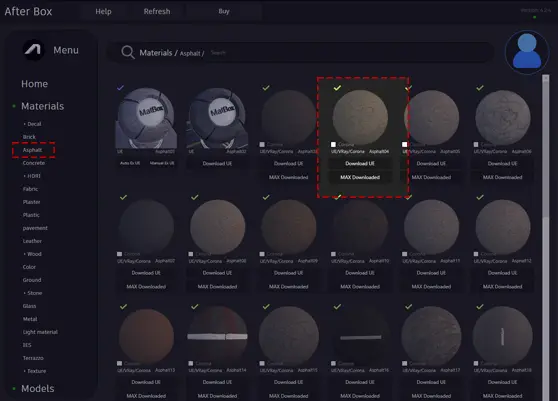
Save Time with AfterBox
Browse, download and apply materials directly in Unreal Engine, V-Ray and Corona.
## Enhancing Realism with Layered Weathering
To push the realism further in your scene, consider layering secondary decals over this base asphalt. Adding localized dust patches or oil-slick smudges in the center of parking spots or heavy-traffic lanes will significantly break up the repetition. Because the base texture already features fine cracks and random granular shifts, it accepts additional dirt passes very naturally. Using a vertex paint approach in Unreal Engine to blend a darker, wet-look asphalt layer into the low-lying areas of the texture can create an even more convincing weathered street effect.




## Ready-to-Use Material Workflows
We provide a free, ready-made material setup specifically optimized for Unreal Engine, V-Ray, and Corona Renderer. This allows you to bypass the time-consuming process of manually connecting nodes or troubleshooting scale settings. By utilizing these pre-configured assets, you can achieve consistent results immediately after importing the files into your project. Whether you are setting up complex lighting for an archviz master plan or building a dynamic environment in Unreal, the setup is designed to work out of the box with industry-standard render settings.

## Streamlined Integration with AfterBox
Downloading and deploying this material is designed to be frictionless. By dragging the prepared files directly into your preferred 3D software or game engine, you eliminate the technical friction that often accompanies material creation. If you require a library of high-fidelity, production-ready assets to accelerate your rendering workflow, our subscription options provide full access to our comprehensive collection of textures and ready-made materials.
More information about subscription:

Save time on material setup
Instead of downloading this texture, use the optimized ready-made material for VRay , Corona Renderer (3ds Max) and Unreal Engine available in AfterBox.
No manual setup


